
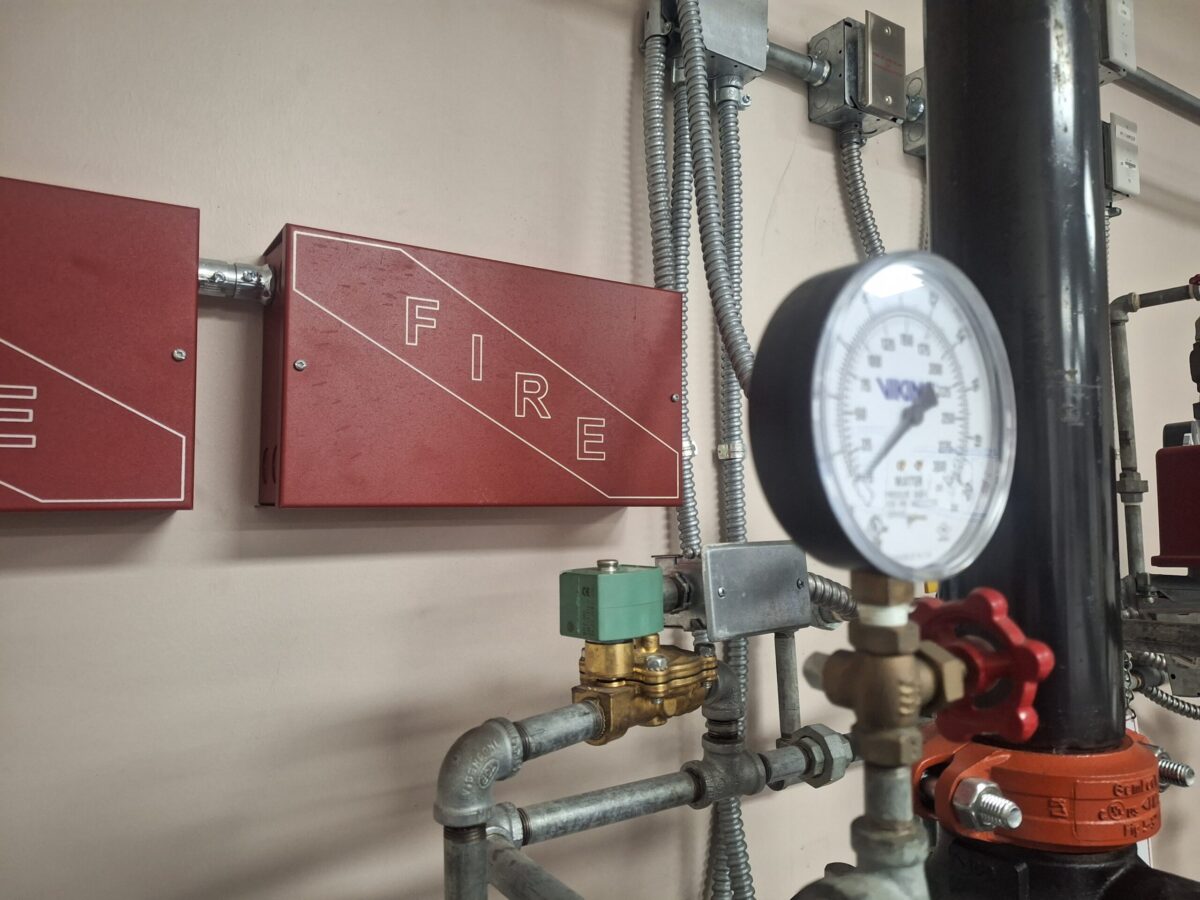
You have scheduled your annual fire inspection. The Austin Fire Department (AFD) inspector walks in, nods at the front desk, and walks straight to your Fire Alarm Control Panel.
Before they even look at the panel screen, they look for a red metal document holder that insiders call a “DocBox”, mounted on the wall next to it. They open it.
If that box is empty, you just failed your inspection.
As a Fire Safety Expert, I see this scenario play out in commercial buildings from Round Rock to Dripping Springs every week. Property managers often treat the DocBox as a trash can for old battery receipts, gum wrappers or even worse, they lose the keys and can’t even access it.
According to NFPA 72 (Section 7.7.2.3) and the 2021 International Fire Code (IFC) that has been adopted by Austin, that box is legally required to contain specific documents. Without them, the Fire Marshal can issue a yellow tag.
“All record documentation shall be stored in the documentation cabinet. No record documentation shall be stored in the control unit.”
Here is the checklist of what must be in your DocBox, and what to do if it’s empty.
What Exactly is Required in the DocBox?
The NFPA 72 is very clear. You need a “System Record Document Cabinet” that contains the following three critical items:
1. As-Built Drawings (Record Drawings)
These are the floor plans that show exactly where every smoke detector, pull station, and horn/strobe is located. They are called “As-Builts” because they reflect how the system was actually installed, not just the initial theory.
- Why you need them: If a detector in “Zone 4” goes off, how do you know where Zone 4 is? Without these maps, a technician is just guessing, wasting hours of billable time trying to find a hidden sensor in a ceiling.
2. The Record of Completion
Think of this as your system’s birth certificate. It is a legal document signed by the installing contractor and the Fire Marshal when the building first opened (or when the system was upgraded). It proves the system was installed correctly and passed its initial acceptance test. It includes the device counts that you need in order to get an estimate on your fire alarm inspections.
3. Owner’s Manuals & Manufacturer Instructions
Every panel is different, whether you have a Notifier, Simplex, or Silent Knight system. The technical manual tells us how to operate the interface, silence alarms, and reset the system after a drill.
💡 Pro Tip from Seth
“Most document boxes use a standard ‘CAT 30’ key. If you lost yours, don’t pry the box open with a screwdriver! Ask your technician during your next inspection, they usually have five of them in our truck and can just give you one. Better to ask than to break the lock.”
The Cost of Missing Documents: A Real-World Example
Having the right documents isn’t just about filling a compliance requirement, it’s about speed and your repair bill.
Imagine your fire alarm starts beeping at 3:00 AM on a Saturday. You call an emergency technician (like me). I arrive at your building on Congress Avenue, and the panel says “Open Circuit, SLC Loop 1.”
Scenario A: The Good DocBox
I open the box, pull the As-Builts, trace the circuit on the paper, and find the bad device in 30 minutes.
- Result: You pay for 1 hour of service. System is fixed.
Scenario B: The Empty DocBox
I have to physically trace wires through the ceiling, hand-over-hand, guessing where the circuit goes. It takes 4 hours of climbing ladders.
- Result: You pay 4x the labor cost, plus the stress of a prolonged system outage.
“My DocBox is Empty. What Do I Do?”
If you just checked your box and found it empty (or full of random junk), don’t panic. But do act fast.
- Check with the Original Installer: Look at the sticker on the main panel. If it has the name of a local vendor, call them. We often keep digital archives of the projects we install. We might be able to print a fresh set of As-Builts for a small administrative fee.
- Check with the City (Long Shot): Sometimes, the City of Austin Development Services Department will retain the fire plans. However, retrieving them can be a bureaucratic nightmare, and they are often outdated.
- Site Survey & Recreation: If the documents are truly gone, you are in a tight spot. To get compliant, you may need to hire a fire protection company to perform a “Site Survey.” We will walk the building, map out every device, and create new As-Built drawings.
Don’t Wait for the Yellow Tag
If you are managing a property in the Austin area and you are unsure if your documentation is up to code, let’s take a look. We can review your current DocBox, supply missing records if we have them, or help you rebuild your compliance file before the Fire Marshal arrives.
Open that red box today. If it’s empty, email me.
5 Frequently Asked Questions About Fire Alarm DocBoxes
What is a fire alarm DocBox? A DocBox, officially known as a System Record Document Cabinet, is a red metal box mounted next to your fire panel. Specifically, it holds mandatory compliance documents required by the fire code. Consequently, fire marshals check this box first during an annual walkthrough.
What documents must be inside my fire alarm document box? According to NFPA 72, your DocBox must contain three critical items. First, it needs your As-Built drawings showing device locations. Next, it requires the original Record of Completion. Finally, you must include the manufacturer’s technical owner’s manuals for your specific panel.
Can I store old battery receipts in the DocBox? No, you absolutely cannot. The NFPA 72 guidelines strictly prohibit storing non-essential records in the documentation cabinet. Therefore, you must remove old maintenance receipts, trash, or unrelated building keys before your Austin fire inspection.
What happens if my fire alarm document box is empty during an inspection? If an Austin Fire Department inspector finds an empty box, you will fail your inspection immediately. Specifically, the fire marshal will flag your system for non-compliance and can issue costly citations. Therefore, you must replace these documents rapidly to regain compliance.
How do I replace lost As-Built fire alarm drawings? If you lose your original drawings, you should first contact your original installation vendor to check their digital archives. Alternatively, you must hire a licensed fire protection company to perform a site survey. Technicians will walk your building, map out every device, and create brand-new compliance drawings.
Comments
One response
[…] you just take over a property management contract in The Domain and realize the life safety binder is completely empty? Or maybe you manage an older building on 6th Street and recently received a violation notice from […]